



Tablet press repair when tablets are soft, easily broken, and fail to meet hardness requirements
Soft, chipped, dusty tablets or unstable tablet hardness are not just product defects. They may indicate instability in the tablet press system, including the compression unit, punches and dies, feeding system, turret, guide cams, or compression force control system.
Signs that need immediate inspection
- Tablets break with light pressure
- Tablet hardness varies between samples
- Tablets chip at the edges when falling into the chute
- The machine vibrates or makes abnormal noise at high speed
- Compression force must be increased repeatedly, but the defect still recurs
Tablets look normal when discharged from the machine, but break during inspection or packaging
In pharmaceutical, functional food, cosmetics, chemical, or compressed tablet production, soft and easily broken tablets directly affect finished product quality. Tablets may have chipped edges, cracks, breakage, dust, fail hardness tests, or fail friability tests.
This defect should not be handled by simply increasing compression force. In many cases, soft tablets are only the visible symptom of an unstable tablet press system: uneven compression force, improper feeding, worn punches and dies, turret vibration, worn guide cams, inaccurate load cells, or a machine that has not been properly maintained for a long time.
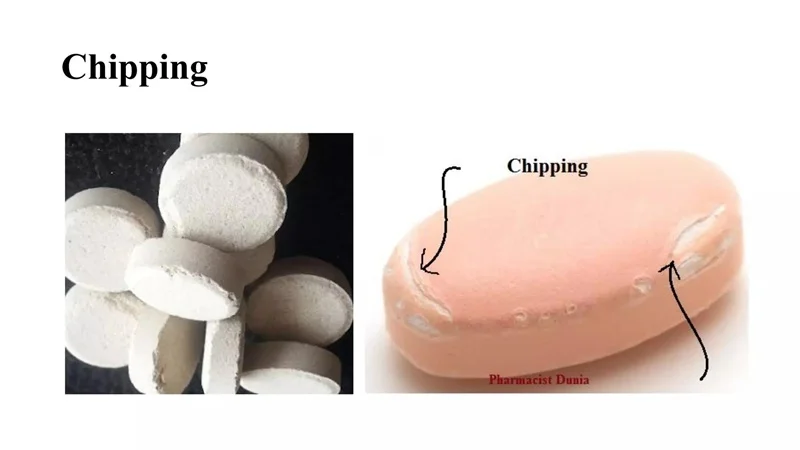
Signs that the tablet press is becoming unstable
- Tablets are soft and break easily with light pressure.
- Tablets are discharged from the machine but chip at the edges when falling into the chute.
- Tablet hardness is inconsistent between test samples.
- Some tablets pass while others fail.
- Tablets produce excessive dust, have a weak surface, or lack firmness.
- Tablets break easily during bottling, blister packing, or transportation.
- Tablet weight variation leads to hardness variation.
- The defect increases after the machine runs for a long time or when output is increased.


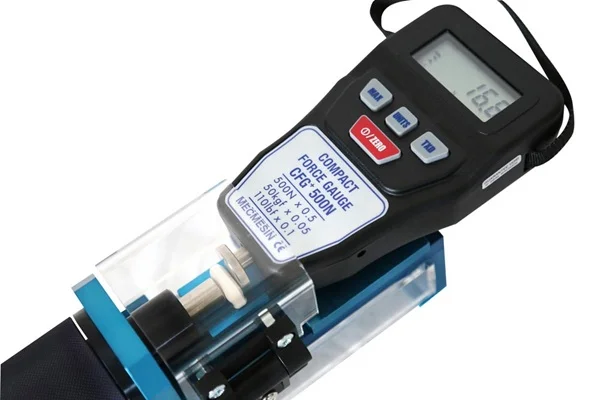
Why do tablets become soft and easily broken?
Soft tablet defects can come from many groups of causes. If a business only looks at the defective tablet and concludes that the problem is caused by the formula or by a weak machine, it is very easy to handle the issue incorrectly and allow the defect to repeat.
Insufficient or unstable compression force
Compression force is the direct factor that creates tablet hardness. However, the important point is not only the number shown on the screen, but whether the actual compression force is being transferred evenly to each tablet.
- Pre-compression and main compression have not been optimized.
- Compression rollers are worn or loose.
- The load cell measuring compression force is inaccurate.
- Worn guide cams make punch travel unstable.
- Machine vibration at high speed causes compression force fluctuation.
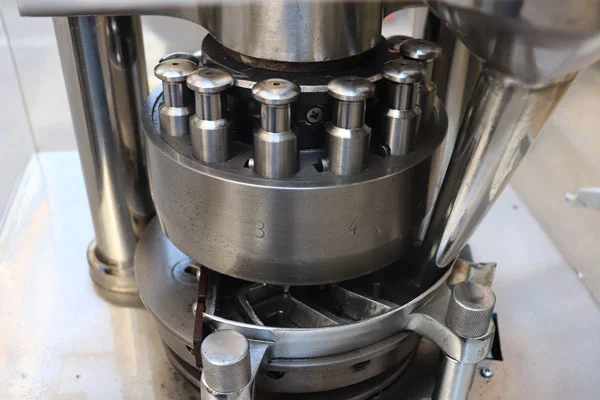
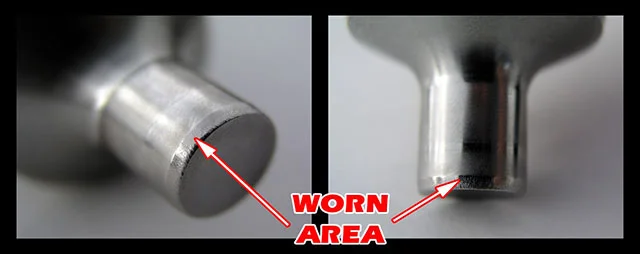
Worn, scratched, or improperly installed punches and dies
Punches & dies come into direct contact with powder/granules and determine tablet shape, surface, size, and stability. When punches and dies deteriorate, tablets can become weak, chip at the edges, or fail to reach the required hardness.
- Tablet surfaces are not sharp and well-defined.
- Tablet edges chip easily.
- Tablets have burrs or slight deformation.
- Logo/text on the tablet is unclear.
- Ejection force increases, making tablets easier to break when leaving the die.
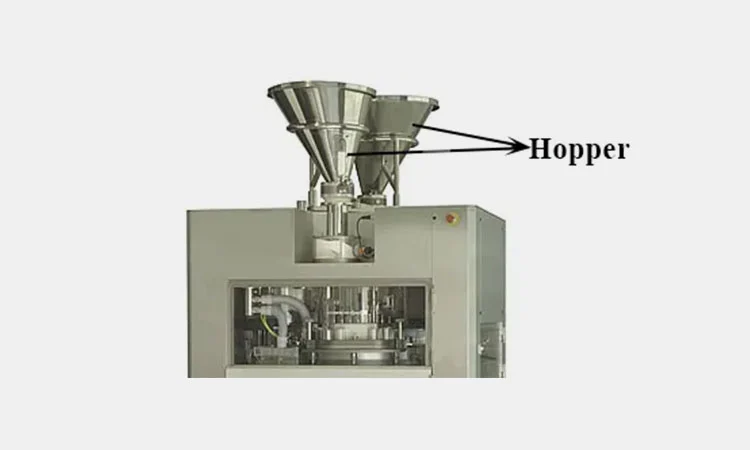
Uneven feeding system
Not every soft tablet is caused by insufficient compression force. In some cases, tablets become soft because the amount of powder entering the die is insufficient or inconsistent. When tablet weight varies, tablet hardness also varies accordingly.
- Poor powder flow or material segregation.
- Partial blockage in the hopper.
- Uneven feeding from the feed frame.
- Worn feeder paddles or unstable rotation.
- Turret speed exceeds the feeding capacity.
Turret vibration, looseness, or misalignment
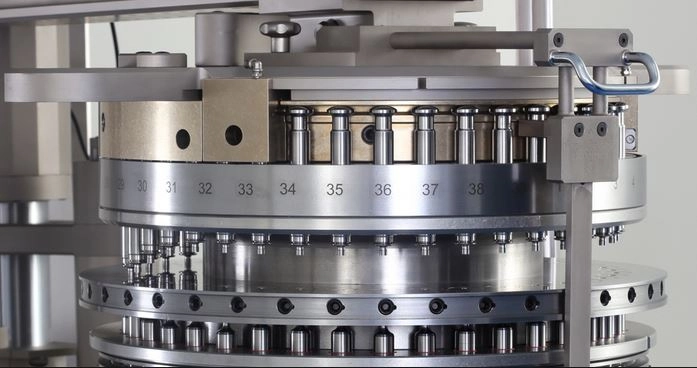
The turret is the central rotating unit of the tablet press. When the turret becomes loose, worn, misaligned, or vibrates, the feeding, compression, and tablet ejection processes are no longer stable, especially when the machine runs at high speed.
- Tablet hardness fluctuates according to machine speed.
- Tablets pass at low speed but become soft when speed increases.
- The machine produces abnormal mechanical noise.
- Punches do not move smoothly.
- Tablet defects appear unevenly according to the rotation cycle.
Deteriorated guide cams, punch guides, and lubrication
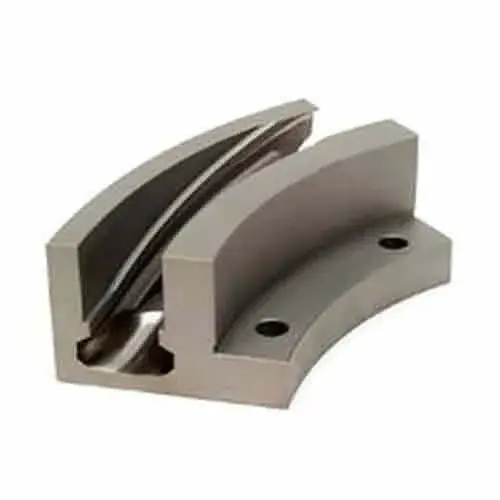
Guide cams and punch guides determine the upward and downward movement of the punches. If these parts are worn, dry, powder-contaminated, or misaligned, punch travel will no longer be accurate.
- Punch movement is not smooth.
- Punches are slightly stuck or return slowly.
- Guides are contaminated with powder.
- Lubrication is insufficient at moving positions.
- Punch travel differs between positions.
Control electrical system and sensor deviation
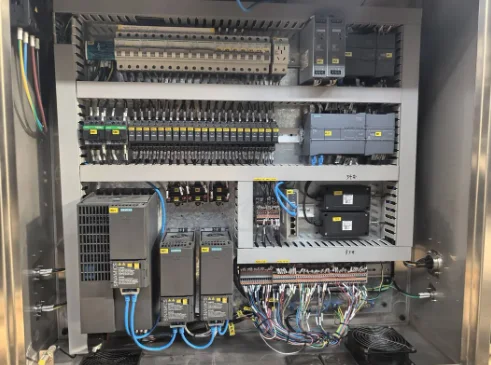
With modern tablet presses, soft tablet defects may be related to the compression force control system, sensors, servo systems, inverters, or inaccurate calibration signals.
- Load cell deviation.
- Position sensors operate unstably.
- Servo or control motor abnormalities.
- Inverter faults or unsuitable parameters.
- Feeder, turret, and compression unit are out of synchronization.
Tablet press repair and maintenance for soft, easily broken tablet defects
We provide tablet press inspection, repair, and maintenance services for manufacturing businesses facing tablets that fail to meet hardness requirements, break easily, chip at the edges, or have unstable quality. The service focuses on identifying the root cause, not just treating the visible symptoms.
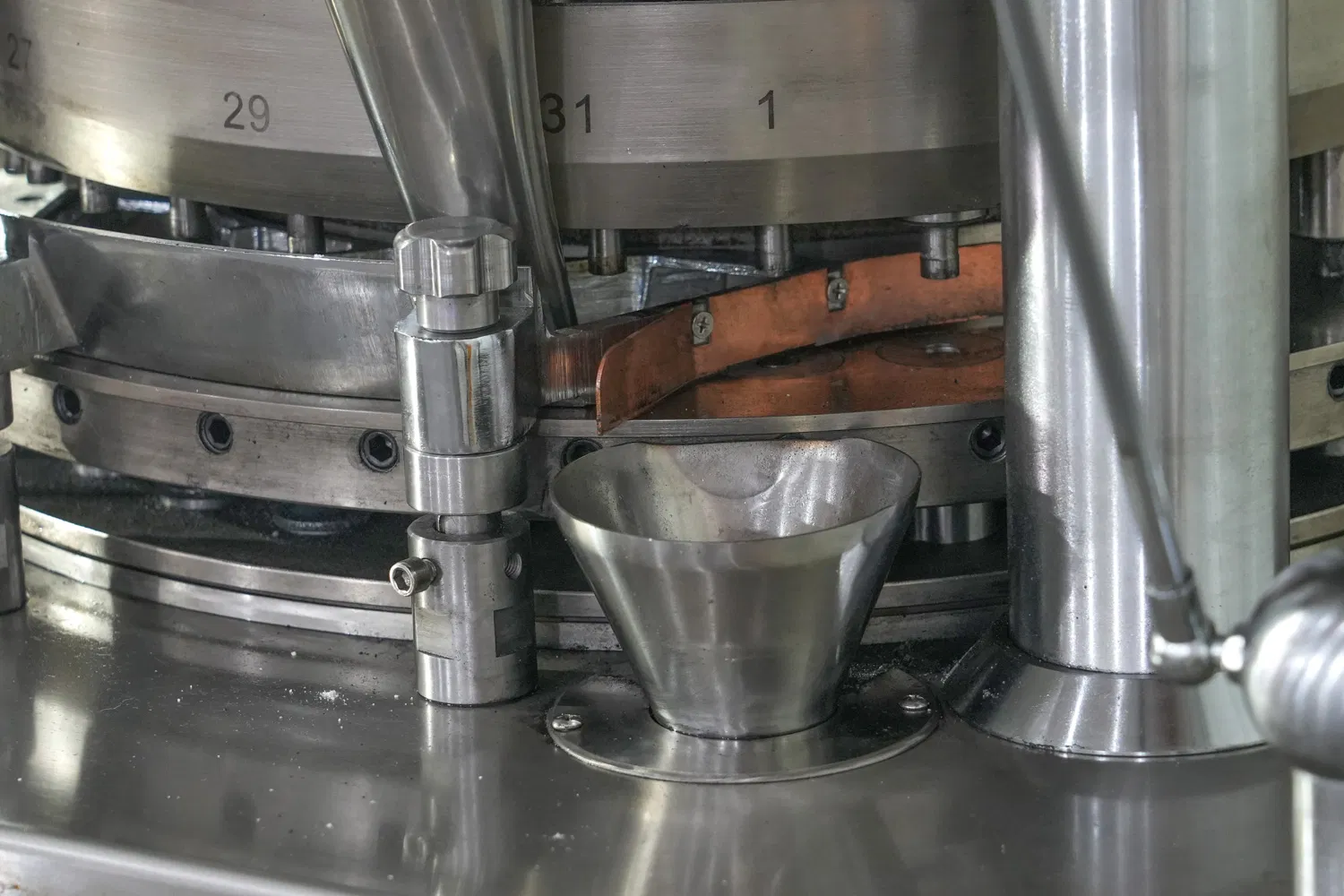
Comprehensive inspection of units that directly affect tablet hardness
Inspect the compression force system
Evaluate the compression unit, compression force stability, and the machine’s actual force transmission capability.
- Pre-compression and main compression.
- Compression rollers and mechanical looseness.
- Deviation between displayed force and actual force.
- Ability to maintain compression force during continuous operation.
Inspect punches and dies
Detect problems that cause chipped tablet edges, poor surface quality, or insufficient hardness.
- Worn punch tips, scratches, sticking, or deformation.
- Condition of the die bore.
- Synchronization of the punch set.
- Tablet ejection from the die.
Inspect the feeding system
Determine whether the soft tablet defect is related to tablet weight or unstable powder flow.
- Hopper, feed frame, and feeding paddles.
- Powder build-up, blockage, or bridging.
- Material segregation.
- Synchronization between feeder and turret.
Inspect the turret, cams, and moving assemblies
Important when the machine vibrates, defects increase at high speed, or tablet hardness fluctuates unevenly.
- Turret looseness and concentricity.
- Guide cams and punch guides.
- Bearings, rotating shaft, and transmission system.
- Abnormal vibration during operation.
Inspect electrical and control systems
Evaluate faults related to compression force, sensors, servo systems, inverters, and speed synchronization.
- Load cells and position sensors.
- Servo systems, control motors, and inverters.
- Alarm signals and compression force calibration.
- Synchronization between feeder, turret, and compression unit.
Recommend a suitable repair plan
Depending on the machine condition, we recommend the right solution to address the root cause and reduce repeated defects.
- Cleaning, maintenance, and alignment.
- Replacing worn or damaged parts when necessary.
- Calibrating the compression force system.
- Preparing a periodic maintenance plan.
No trial-and-error handling — priority is identifying the true root cause
Record the actual symptoms
Determine whether the soft tablet defect appears across all tablets or only locally, whether it occurs from the start or after the machine runs for a long time, whether it increases when machine speed is raised, whether tablet weight fluctuates, and whether the machine vibrates, overheats, or makes abnormal noise.
Inspect tablet samples and operating parameters
Compare tablet weight, hardness, friability, machine speed, set compression force, actual compression force, feeding condition, and punch and die condition.
Inspect the machine’s mechanical system
Inspect the compression unit, turret, punches & dies, guide cams, punch guides, bearings, transmission assembly, and feed frame to detect hidden damage.
Recommend a repair or maintenance plan
Depending on machine condition, the solution may include cleaning the feeding unit, aligning the compression system, replacing compression rollers, inspecting punches and dies, resolving vibration, calibrating the load cell, or repairing the control system.
Stabilize tablet quality, reduce production defects, and limit machine downtime
Common items inspected when tablets are soft and easily broken
When tablets fail to meet hardness requirements, tablet samples, compression unit, punches and dies,
feeding system, turret, and control system should be inspected together to identify the correct cause.
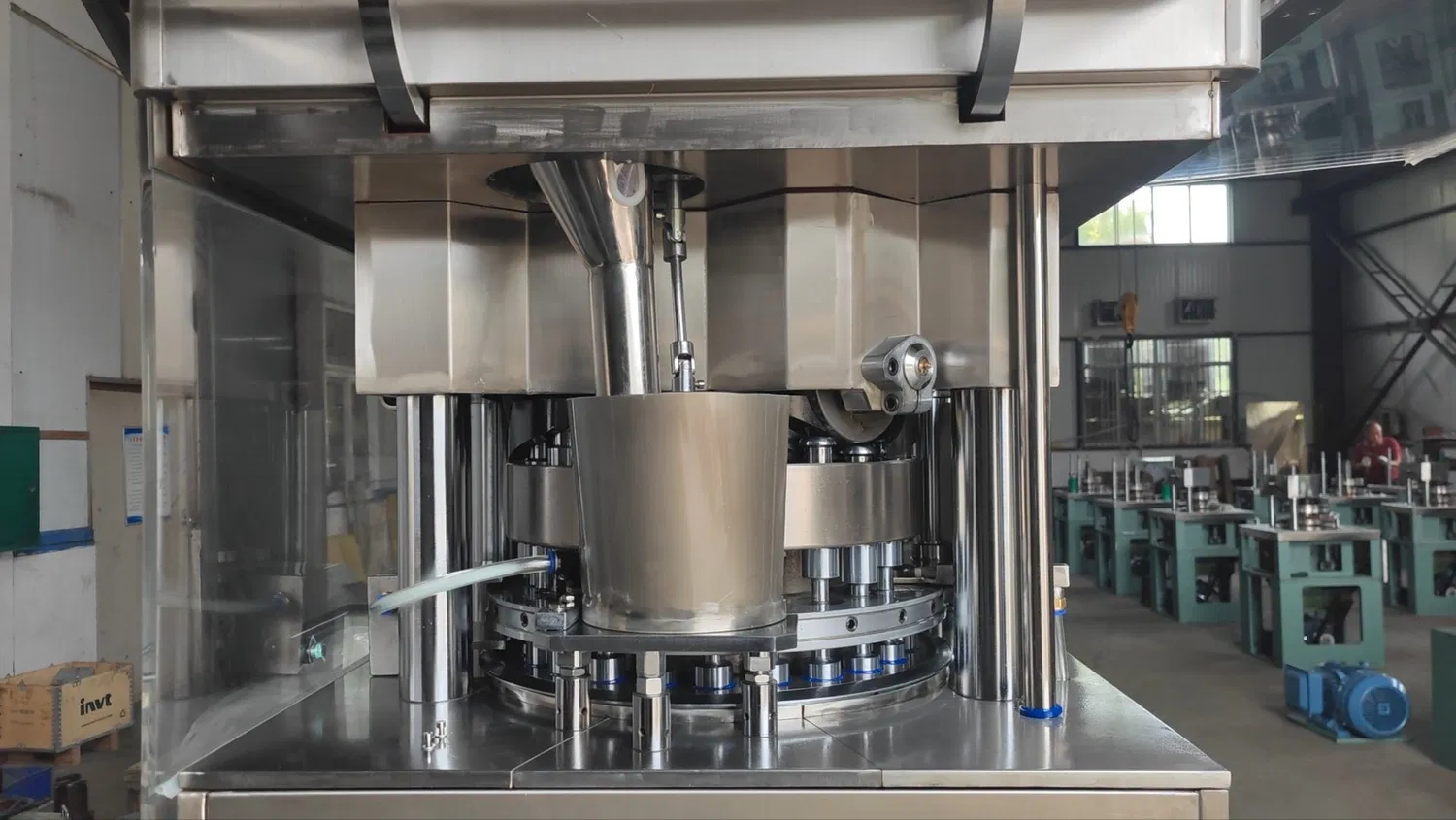
Overall tablet press inspection
Evaluate operating condition, vibration, noise, machine speed, and stability during continuous operation.
Soft and easily broken tablet samples
Inspect hardness, chipped edges, tablet dust, and breakage after packaging.
Compression unit
Inspect pre-compression, main compression, compression rollers, and actual compression force.
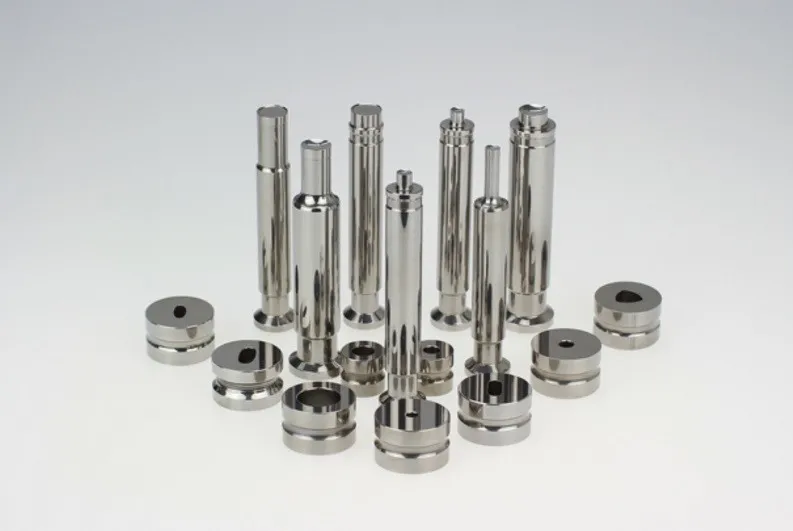
Punches and dies
Evaluate wear, scratches, powder build-up, misalignment, or tablet ejection from the die.
Feeding system
Inspect the hopper, feed frame, paddles, and powder flow stability into the dies.
Turret & rotating assembly
Inspect looseness, concentricity, vibration, and signs of mechanical wear.
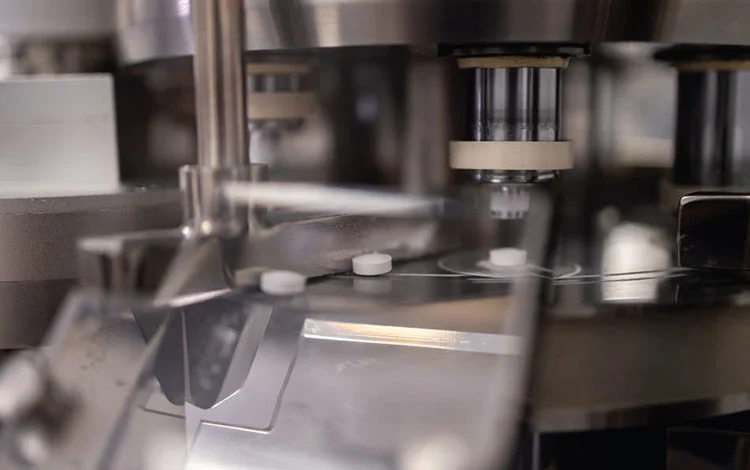
Electrical control system
Inspect load cells, sensors, HMI, inverters, and compression force control signals.
Is your tablet press producing soft and easily broken tablets? Inspect it before the defect spreads
If your business is facing soft tablets, unstable tablet hardness, chipped tablet edges, excessive dust, machine vibration, or repeated compression force adjustment with recurring defects, contact Vietsonic for consultation and machine condition inspection.